 Arise
Your AI crew.
Close every loop.
A hosted project board plus a five-member AI crew that chases RFIs, submittals and follow-ups, so GCs, subs and construction PMs stop dropping the ball.
Join the free pilot See how it works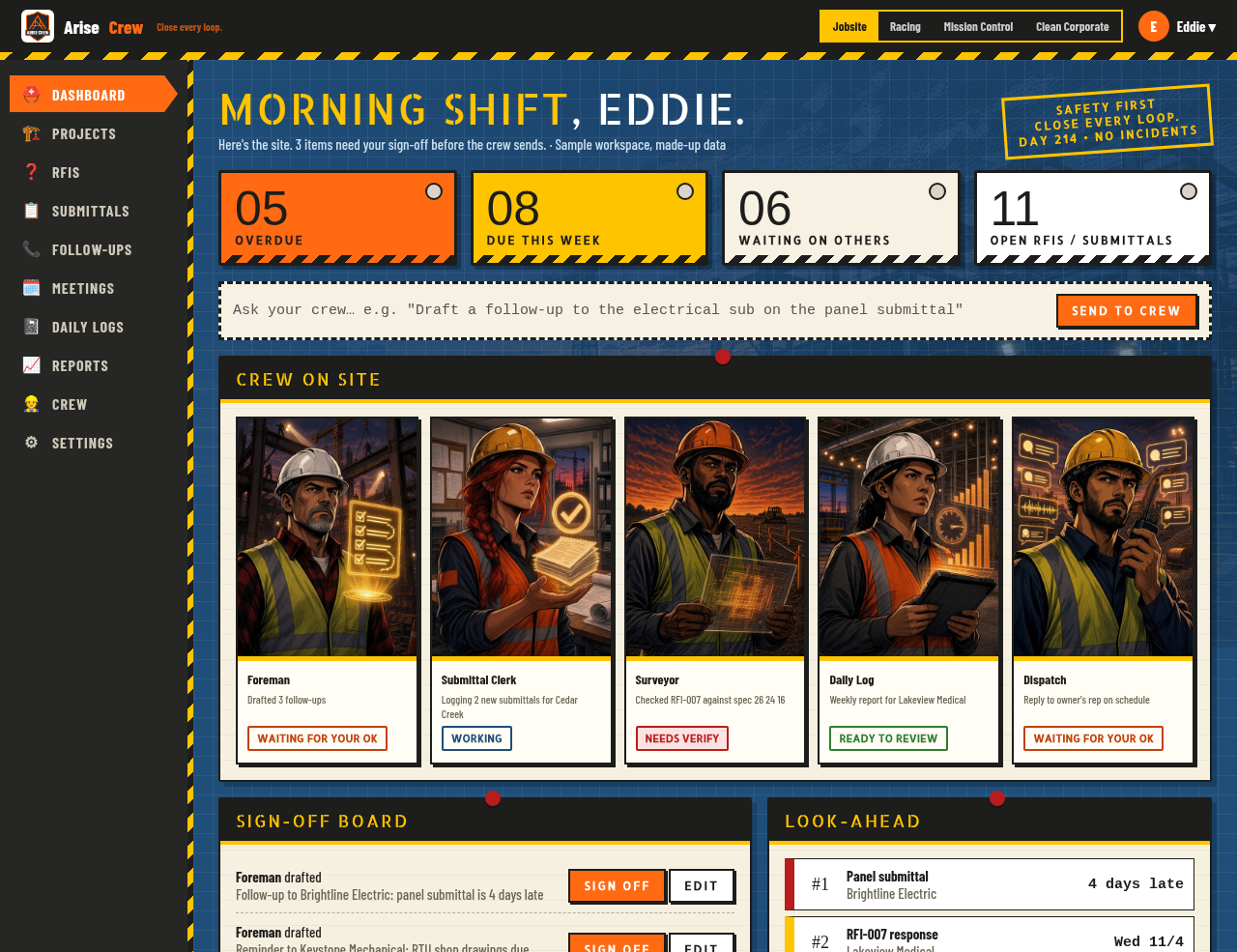
Too many loops. Not enough hands.
PMs juggle dozens of open items across every job. Arise Crew keeps track of all of them for you.
The problem
- RFIs and submittals sit unanswered for weeks
- Follow-ups live in your head, your inbox and sticky notes
- Daily logs and weekly reports eat your evenings
- One missed item turns into a delay or a change order
The fix
- One board for every project, item and due date
- An AI crew that watches the board and spots what is slipping
- Follow-up drafts ready to review in seconds
- Logs, briefs and minutes written for you
How the crew works
Five specialists, one board. You stay in charge.
Foreman
Keeps the board moving. Spots what is overdue and assigns the next move to the right crew member.
Submittal Clerk
Logs every submittal, tracks review dates and flags what is stuck with the architect or a sub.
Surveyor
Reads your plans and specs so you can ask questions and check RFI answers fast.
Daily Log
Turns the day into clean daily logs, weekly status briefs and meeting minutes.
Dispatch
Drafts follow-ups to subs, architects and owners. Every draft waits for your OK.
Load your jobs
Add projects, RFIs, submittals and contacts, or import them from email and Google Drive.
Ask your crew
Type what you need, like “Draft a follow-up to the electrical sub on the panel submittal.”
Approve and go
Review the drafts in your approval queue. Send, edit or toss each one.
Pick your theme
Same crew, same power. Four looks, each with its own crew names. Jobsite is the default.
Jobsite crew (default)
- ForemanRuns the board and hands out work
- Submittal ClerkTracks submittals and due dates
- SurveyorReads plans and specs, answers questions
- Daily LogWrites daily logs and weekly briefs
- DispatchDrafts every email and follow-up

Racing crew
- ApexRuns the board and hands out work
- Crew ChiefTracks submittals and due dates
- SpotterReads plans and specs, answers questions
- TelemetryWrites daily logs and weekly briefs
- RadioDrafts every email and follow-up

Mission Control crew
- CommanderRuns the board and hands out work
- PayloadTracks submittals and due dates
- NavigatorReads plans and specs, answers questions
- Flight LogWrites daily logs and weekly briefs
- CommsDrafts every email and follow-up

Clean Corporate crew
- Lead PMRuns the board and hands out work
- Document ControlTracks submittals and due dates
- Plan ReviewReads plans and specs, answers questions
- ReportingWrites daily logs and weekly briefs
- CorrespondenceDrafts every email and follow-up
Previews show sample data only.
Nothing sends
without your OK.
The crew drafts. You decide. Every email, follow-up and report lands in your approval queue first. Your project data stays in your own private workspace and is never used to train AI models.
To: Sample Electric Co.
Re: Panel submittal, 6 days overdue
“Hi team, following up on the panel submittal for Lakeview Medical Pavilion. Can you confirm a resubmittal date this week?”
Help shape the crew.
We are opening a small number of free founding-pilot spots for GCs, subs and PMs.
Request pilot access